

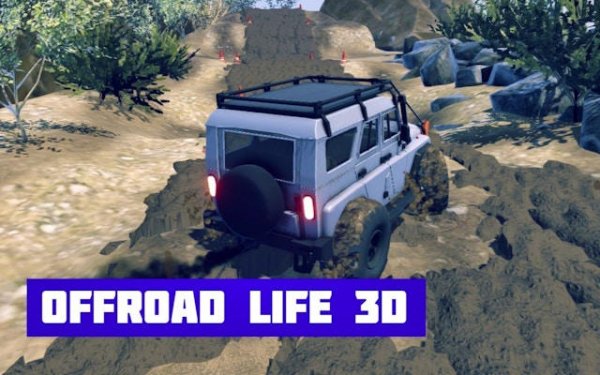
Wild Terrain Vehicle Expedition
Reviews
Wild Terrain Vehicle Expedition stands out for its thoughtful physics and diverse environments. Each track feels distinct, from muddy forest trails to sunbaked desert paths. The vehicle customization adds meaningful depth, letting players adapt to conditions. Cooperative mode introduces a welcome teamwork element. While the pace is deliberately slow, it suits the simulation focus. The lack of arcade-style shortcuts means every successful run feels earned. A solid choice for those who prefer precision over speed.
About This Game
Vehicle Selection & Setup
Players begin by choosing from a range of off-road vehicles, each with distinct handling characteristics. The garage offers options to adjust tire types and suspension settings, which directly influence grip on loose gravel, wet mud, or packed snow. Experimenting with these configurations before heading out can make challenging routes more manageable. The game encourages trying different combinations to match the demands of each environment.
Terrain Types & Driving Conditions
Environments shift between dense woodlands, open deserts, and icy mountain passes. Seasonal changes affect surface friction and visibility, with rain turning dirt paths into slippery chutes. Each track presents unique obstacles like fallen logs, steep inclines, and narrow ridges. Drivers must read the ground ahead and adjust their speed and steering accordingly to avoid getting stuck or tipping over.
Physics & Vehicle Dynamics
The simulation engine models weight transfer, tire slip, and suspension compression in real time. Accelerating too quickly on loose soil can cause wheels to spin, while sharp turns on hard-packed trails may lead to rollovers. Understanding how each vehicle responds to different surfaces is key to maintaining forward momentum. The physics system rewards smooth inputs and thoughtful line choices over aggressive driving.
Cooperative Navigation Mode
Some tracks allow two players to work together, guiding separate vehicles along shared paths. Communication becomes important when passing through tight spaces or coordinating on steep climbs. This mode adds a layer of strategy, as each driver must anticipate the other's movements to prevent collisions. It offers a different kind of challenge compared to solo runs.
Progression & Unlockable Content
Completing routes under certain conditions may unlock additional vehicles or garage upgrades. The game tracks performance metrics such as completion time, number of rollovers, and stuck incidents. These records encourage players to revisit earlier tracks with improved setups or refined techniques. The progression system provides clear goals without forcing a strict linear path.
Tips for Smooth Navigation
Maintain a steady pace, especially on uneven ground. Let off the throttle before cresting hills to keep the vehicle balanced. On loose surfaces, gentle steering inputs help maintain traction. If the vehicle starts to tip, counter-steering and easing off the gas can sometimes recover stability. Practice on varied terrain to build familiarity with different surface behaviors.












Comments
0 comments