

Cellular Pattern Simulator - Puzzle
Reviews
Cellular Pattern Simulator is a brilliant puzzle that transforms basic cell toggling into a captivating experience. The four simple rules generate surprisingly complex patterns, from gliders to oscillators. It is both educational and relaxing, encouraging experimentation without pressure. The step-by-step control helps understand each generation. Ideal for anyone interested in logic, math, or art.
About This Game
Game Introduction
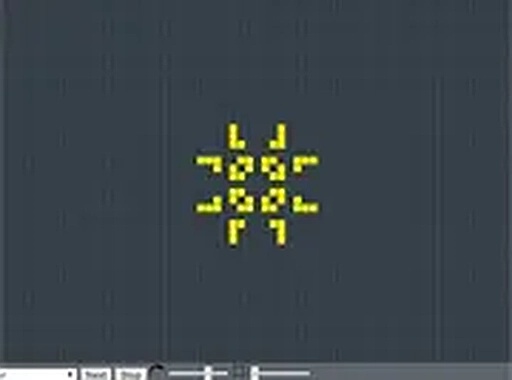
This simulation is based on a cellular automaton concept introduced in 1970. It is not a traditional game with scores or players. Instead, you set the initial state of cells on a grid, and the simulation progresses automatically. Each cell is either active or inactive. The evolution follows four simple rules: an active cell with fewer than two active neighbors becomes inactive; an active cell with two or three active neighbors remains active; an active cell with more than three active neighbors becomes inactive; an inactive cell with exactly three active neighbors becomes active. Despite the simplicity, the system can simulate complex logic and even computers. Patterns like gliders, oscillators, and still lifes emerge, offering endless exploration. This simulation blends mathematics, science, and art, making it a timeless tool for learning and creativity.
How to Play
To play, click on the grid to toggle cells between active and inactive. You can create any pattern you like. Once your initial setup is ready, press the start button to begin the simulation. The game automatically applies the four rules to each generation. You can pause at any time, step forward one generation at a time, or clear the grid to start over. Experiment with different patterns to see how they evolve.
Game Features
Simple rules lead to complex emergent behavior. Classic cellular automaton simulation. Interactive grid for placing and removing cells. Controls to start, pause, step, and clear the simulation. Supports a variety of known patterns like gliders and oscillators. Runs entirely in your browser with no downloads needed.
Tips for Success
Start with small, simple patterns to understand how the rules work. Observe how different initial configurations lead to different outcomes. Try recreating famous patterns like gliders or oscillators to see their behavior. Use the step function to watch changes one generation at a time. Experiment freely—there is no failure, only discovery.











Comments
0 comments