

Style Studio: Creative Wardrobe
Reviews
Style Studio: Creative Wardrobe succeeds by removing all the usual stressors found in games for children. There are no timers, no scores, and no wrong choices. The interface is clean and responsive, making it easy to cycle through tops, bottoms, and accessories. The variety of items is broad enough to keep the experience fresh across multiple sessions. The ability to save and share outfits adds a nice social touch without requiring real-time multiplayer. This is a thoughtful, well-designed tool for fostering creativity in young players.
About This Game
Building Your Look
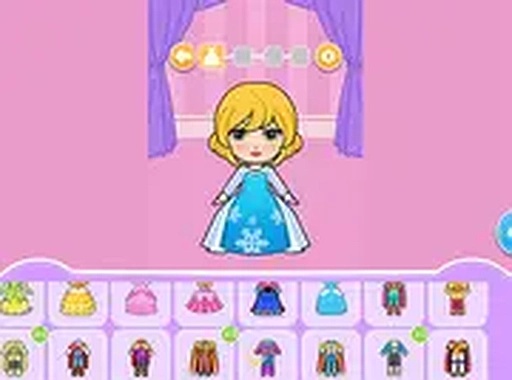
In Style Studio: Creative Wardrobe, players begin by selecting from a range of clothing categories. The interface is straightforward: each category displays available items, and a single tap or click places the chosen piece onto the character. This immediate feedback allows for rapid experimentation. Because there are no penalties for changing an outfit, users can try bold combinations they might not consider in real life. The process feels more like play than work, which encourages repeated exploration.
Available Clothing Categories
The game includes several distinct categories such as tops, bottoms, dresses, footwear, and accessories. Each category contains multiple options with different colors and patterns. By mixing pieces from different categories, players can create looks ranging from casual to formal. The variety ensures that no two outfits need to be the same. This breadth of choice supports the core idea that personal style is about individual preference, not following a single trend.
No Pressure, No Timers
A key design choice in Style Studio: Creative Wardrobe is the absence of any scoring system or time constraints. Players are free to spend as long as they like on a single outfit. They can change a piece, undo a selection, or start over entirely without losing progress. This relaxed structure makes the game suitable for younger audiences who may not yet have developed fine motor skills or patience for timed challenges. It also appeals to older players looking for a low-stress creative outlet.
Saving and Sharing Creations
Once an outfit is complete, the game provides options to save the image locally or share it with friends. This feature adds a social layer to the experience without requiring real-time interaction. Sharing can inspire others to try new combinations or simply serve as a record of the player's evolving taste. The ability to look back at past creations also helps players see how their style preferences change over time.
Accessibility and Platform
Style Studio: Creative Wardrobe runs entirely in a web browser, meaning no downloads or installations are needed. It works on both desktop and mobile devices, with touch controls optimized for tablets and phones. The simple interface uses large buttons and clear labels, making it easy for children to navigate independently. This broad accessibility ensures that anyone with an internet connection can start creating outfits immediately.






Comments
0 comments