

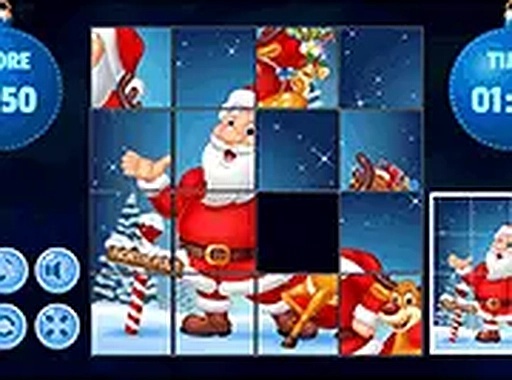
Holiday Sliding Puzzle
Reviews
Holiday Sliding Puzzle delivers a delightful twist on a classic brain teaser. The festive graphics and randomly generated puzzles keep each session fresh. It is perfect for quick breaks or extended family play, with no installation required. The simple controls and adjustable difficulty make it accessible to everyone, while the score tracker adds a gentle challenge.
About This Game
Game Introduction
Holiday Sliding Puzzle brings a warm and cheerful theme to the classic sliding puzzle format. Players are presented with a scrambled image featuring happy seasonal characters, colorful gifts, and festive decorations. The core objective is to rearrange the pieces by sliding them into the empty space until the full picture is restored. Each level offers a new arrangement of parts, ensuring variety and replayability. The game is designed for players of all ages and skill levels, from children to adults. It runs directly in your browser without any installation, making it easy to start playing instantly. The cheerful theme and simple mechanics make it a perfect choice for family time or a quick mental break during the busy season.
How to Play
To play, simply tap or click on any puzzle piece that is next to the blank space. The piece will slide into the empty spot. Continue moving pieces strategically until the entire holiday scene is complete. The game tracks your completion time, and faster solves earn higher scores. You can play on both mobile phones and desktop computers, and the game supports full screen mode for a more focused experience. No special skills are required, just patience and attention to detail. Start with easier levels and gradually take on more challenging puzzles as you improve. The intuitive controls make it accessible for everyone.
Game Features
Game features include a festive holiday theme with bright, cheerful graphics. Each puzzle layout is randomly generated, so no two games are exactly alike. A built-in score tracker encourages players to improve their speed. The game is fully mobile-friendly and supports full screen mode for immersive play. All content is family-safe and appropriate for all ages.
Tips for Success
Focus on completing the edges of the puzzle first, as this provides a clear frame for the rest of the image. Practice regularly to improve your pattern recognition and speed. Take breaks if you feel stuck, as a fresh perspective often helps solve tricky arrangements.












Comments
0 comments